


Sugo lite: Live Voice Chat
3.479.00 Reviews
App Specs
- Version
- 2.22.0.1
- Updated On
- License
- Free
- Downloads
- 10,000,000+
- Developer
- IndiaMasterApp
- Categories
- Social
- Platform
- Android
Screenshots


 Analysis by AppCompare
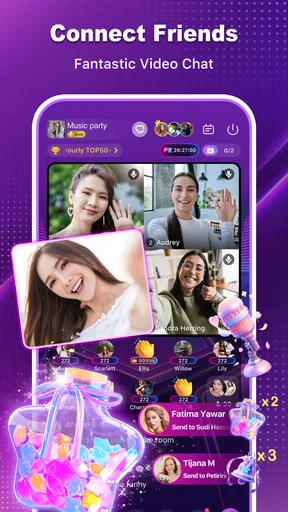
I approached Sugo lite: Live Voice Chat as a social app for people who prefer talking over typing. Its central idea is simple: join a voice room to chat with friends, then move into a one-to-one voice or video call when a private conversation makes more sense. After spending time with that format, I found an app that feels more immediate than a normal messaging service, but also more dependent on the quality of the people and rooms you discover.
The app is free to install, belongs to the social category, and is developed by IndiaMasterApp. It is aimed at mature users, with a 17+ content rating, so I would not treat it as a casual app for children or younger teenagers. The current release is version 2.22.0.1, and it supports devices running Android 6.0 or later. That broad system support is useful if you keep an older phone, although the experience will still depend heavily on your microphone, camera, connection, and battery condition.
How Sugo lite feels in everyday use
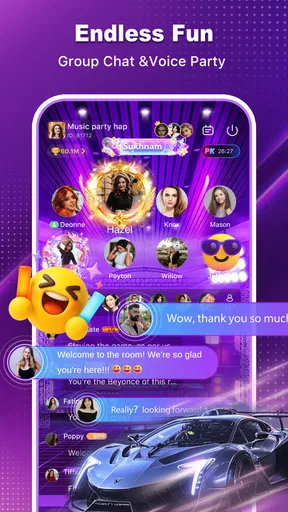
The strongest part of the concept is the transition between public conversation and direct contact. A voice room gives you a shared space where several people can talk, while a private call is better when you want to focus on one person. I like that distinction because it matches how people actually socialize: sometimes you want to listen and participate casually, and sometimes you want a more personal exchange without an entire room following along.
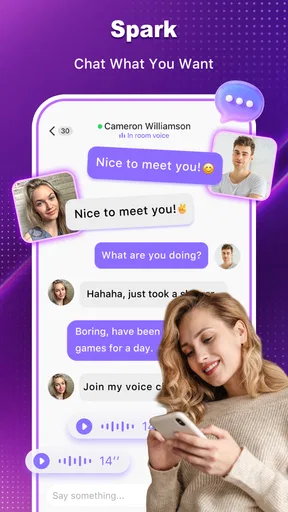
In practice, I would use the app in a situation such as an evening when friends are online but nobody wants to organize a formal group call. Joining a room can be less demanding than sending a series of messages to coordinate everyone. You can listen first, decide whether the conversation suits you, and then speak when you have something useful to add. If one conversation becomes more interesting, a one-on-one call offers a natural next step.
That immediacy is also the main reason to choose this app over a conventional text-first social network. Text messages are better when you need a record of details, links, or plans. Sugo lite is more appealing when tone and timing matter. A laugh, pause, or quick reaction can communicate more naturally through voice than through a line of typed text.
At the same time, voice rooms are not automatically comfortable for everyone. They can feel noisy, unpredictable, or socially demanding if several people speak at once. I would not recommend opening the app expecting the calm structure of a private messenger. It is closer to dropping into a live social space, where the quality of the experience changes with the room and the participants.
Public rooms and private calls serve different purposes
The most useful way to approach the app is to give each communication mode a clear job. Use a room for discovery, casual conversation, or staying connected while doing something else. Use a direct voice call when you want to talk without the pressure of a group. Choose video only when seeing the other person genuinely adds value, because video requires more attention and makes the interaction feel more personal.
Worth Reading Before You Choose

Flipboard Shows What News Apps Must Do Beyond the Feed

Switching to Android Auto Means Rethinking Your Driving Routine

Google Calendar Makes a Crowded Week Easier to Manage

Ludo King Makes the Most of the Minutes Between Plans

Baby Panda World Brings Quick Play to Modern Phones, but Its Game Library Feels Busy

ESPN’s Live Game View Makes Following Close Games Easier
This distinction helps avoid one of the common frustrations with live social apps: entering a room without knowing what you want from it. I found that the experience is easier when I decide beforehand whether I am there to participate, listen, meet people, or contact someone I already know. Without that intention, it is easy to move between conversations without getting much from any of them.
A practical tip is to begin with voice rather than video when meeting someone new. Voice lets you judge whether the conversation feels respectful and worthwhile before adding the extra exposure of a camera. It also uses the app’s central strength without making the first interaction unnecessarily intense.
What the current release tells me about its direction
The presence of version 2.22.0.1 suggests that the app has moved beyond an initial experiment and is being maintained as an ongoing product. I would still separate that fact from any assumption that every part of the experience is mature. A version number can show continued development, but it does not guarantee that room quality, moderation, discovery, or call stability will feel equally polished everywhere.
For an existing user, the current release is best viewed as a continuation of the same live-social idea rather than a reason to change your habits overnight. The core value remains the combination of shared voice spaces and direct audio or video conversations. If that combination already fits the way you communicate, updating to the current version makes sense. If you dislike open-ended voice rooms, a newer release is unlikely to change the basic nature of the service.
I also appreciate that the app remains available to a wide range of Android devices through its minimum requirement of Android 6.0. That can make it a practical option for people who cannot use newer, more demanding social applications. However, older hardware may struggle more with video, multitasking, heat, or battery drain. In my view, voice is the sensible starting point on a modest phone, while video should be reserved for situations where the device and connection are behaving well.
Where it stands among familiar social alternatives
Compared with a standard messaging app, Sugo lite puts live conversation first instead of treating calls as an extra button. That makes it more spontaneous, but less useful for carefully organized communication. If your priority is searchable text history, file sharing, or detailed group planning, a traditional messenger will probably remain the better tool.
Compared with a large video-meeting service, this app feels more social and less formal. You do not approach a voice room in the same way you approach a scheduled work call. That is a strength for relaxed interaction, but a weakness if you need predictable attendance, structured speaking turns, or a professional presentation environment.
Compared with a purely voice-based community platform, the one-to-one video and voice options give Sugo lite a more personal second step. You can move from a shared room to a direct conversation instead of switching between separate services. The trade-off is that the app’s usefulness depends on whether you find people and rooms that match your interests. A technically capable social app can still feel empty if the available conversations are not relevant to you.
Small habits that make the experience better
I would treat the first few sessions as a filtering process rather than trying to stay in every room. Listen briefly, notice whether people take turns, and leave quickly when the atmosphere is uncomfortable or unproductive. This is more efficient than waiting for a room to improve on its own. Live audio rewards selective participation.
For private calls, I would keep the first conversation short and use voice before video. That approach reduces pressure and gives both people a chance to establish basic trust. It is especially useful because the mature age rating signals that the app is not designed as a child-friendly social environment.
Another useful workflow is to use rooms for lightweight contact and a private call for a specific purpose. For example, friends can talk casually in a shared space, then two people can switch to a direct call to settle a personal plan. Separating those moments prevents a group discussion from becoming cluttered with details that only concern two participants.
I would also avoid treating the app as a replacement for every other communication tool. If you need to remember an address, compare several options, or keep a precise record of an agreement, write it down somewhere designed for that purpose. Spoken conversation is quick and expressive, but it is not as easy to revisit as text.
Costs, access, and the practical trade-offs
The app is free, which makes trying its voice-room format relatively easy. It also includes optional in-app purchases ranging from $0.49 to $99.99 per item. That wide range matters: I would explore the free experience first and avoid spending until I understand what a purchase adds to my own use. A live social app can be enjoyable without becoming a place where you feel pushed to pay simply to participate comfortably.
The large install base, with over ten million installs, indicates that the concept has reached a substantial Android audience. Its average rating is 3.4 from around twenty-two thousand ratings, which gives me a balanced impression rather than an automatic recommendation. Many people have clearly found enough value to try it, but the score also suggests that the experience is not consistently ideal for everyone.
I would read that rating as a reminder to judge the app by your communication style. Someone who enjoys spontaneous voice interaction may find the format engaging, while someone who wants quiet, predictable, private messaging may find it frustrating. The same room-based design that creates energy for one user can create noise and uncertainty for another.
Because the app supports voice and video, I would pay attention to where and when I use it. A headset can make speech easier to follow in a busy place, and voice-only calls are more practical when the environment is not suitable for showing your camera. I would also be cautious about sharing personal details with people met through live rooms. The social format encourages quick familiarity, but a friendly conversation is not the same as established trust.
Who should try it, and who should skip it
I think Sugo lite is a good fit for people who enjoy meeting others through conversation rather than long text exchanges. It may also suit friends who want an informal place to talk without arranging a formal meeting. If you are comfortable entering a room, listening for a while, and leaving when it does not suit you, the app’s open-ended structure can work well.
It is less suitable for anyone looking for a tightly controlled communication tool. Parents seeking a service for younger users should skip it because of the mature age rating. People who dislike speaking with strangers, need extensive written records, or expect every interaction to be calm and carefully moderated may also prefer a conventional messenger or a more structured calling service.
I would be especially careful if your main goal is professional communication. The app’s social focus is better for informal contact than meetings, interviews, customer conversations, or anything that depends on a reliable agenda. For those tasks, a dedicated meeting platform is the safer choice because its design starts with organization rather than spontaneous social discovery.
What existing users may notice over time
For people already using the app, the current version is a reason to reassess how they use it rather than simply counting on updates to solve every problem. If you have been treating rooms as a general-purpose chat list, try narrowing your routine: keep a few reliable social situations in mind, use direct calls for focused conversations, and leave rooms that repeatedly waste your time.
The app’s evolution is also worth watching through consistency. A strong future for this kind of service would mean that joining a room feels dependable, moving into a private call feels smooth, and the social environment remains comfortable for mature users. Those are not promises I would assume from a version number alone; they are the practical qualities that determine whether I return.
Existing users should also keep their expectations realistic about device performance. The broad Android compatibility is convenient, but older phones do not offer the same headroom as newer models. If video feels heavy, voice-only use may preserve the app’s main benefit without asking the device to handle more than it can comfortably manage.
My final take after using the live format
Sugo lite: Live Voice Chat is worth trying if you want social interaction to feel spoken and immediate rather than typed and carefully arranged. Its useful idea is not complicated: shared voice rooms create an informal meeting point, while one-to-one voice and video calls provide a more focused follow-up. That combination gives it a clear identity among social apps.
My recommendation comes with limits. I would not choose it as my only messenger, my work-call solution, or a child-friendly community. I would also start cautiously, use voice before video with unfamiliar contacts, and test the free experience before considering any optional purchase. Those habits make the app easier to evaluate on its own terms.
Overall, I see a social app with a specific audience rather than a universal replacement for familiar communication tools. If you like live rooms and spontaneous conversation, its current release gives you a straightforward way to explore that style on compatible Android devices. If you prefer written history, strict structure, or complete control over who can enter the conversation, another category of app will serve you better.
Pros
- Lightweight app that uses less storage and mobile data.
- Quick voice matching makes it easy to meet new people.
- Live rooms support casual conversations and social interaction.
- Simple interface is suitable for first-time users.
- Available on older or less powerful Android devices.
Cons
- Voice chat quality can vary with network conditions.
- Public rooms may include unfamiliar or inappropriate conversations.
- Limited features compared with the full Sugo experience.
- Some rooms may feel inactive during off-peak hours.
- In-app purchases may be needed for extra social features.
FAQs for Sugo lite: Live Voice Chat
What is Sugo Lite: Live Voice Chat, and what can I do with it?
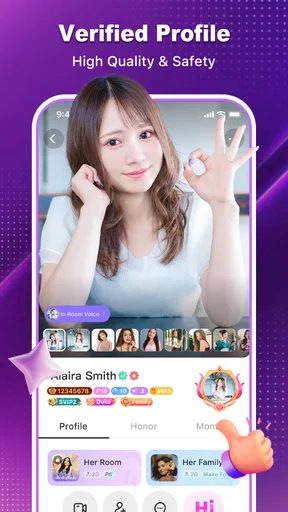
Sugo Lite: Live Voice Chat is a social communication app focused on meeting people through live voice conversations, chat rooms, and interactive community features. After creating a profile, users can browse available rooms, join ongoing discussions, send messages, and connect with people who share similar interests. The Lite version is generally designed to provide a more streamlined experience with reduced storage and data requirements.
Is Sugo Lite: Live Voice Chat free to download and use?
The application can typically be downloaded for free, but some features may depend on in-app purchases, virtual gifts, coins, subscriptions, or other optional payments. Basic access to rooms and social functions may be available without spending money, although premium interactions or enhanced visibility can require payment. Before confirming a purchase, users should carefully review the price, renewal terms, and payment settings shown in the app.
Do I need to create an account to use Sugo Lite?
Most of the app’s social and live voice features require an account so that profiles, messages, room activity, and contacts can be managed properly. Registration may involve a phone number, email address, or supported social login, depending on the version and region. Users should provide only information they are comfortable sharing and review the privacy settings before becoming active in public chat rooms.
Is Sugo Lite: Live Voice Chat safe for meeting strangers online?
The app may include moderation tools, reporting options, blocking controls, and community guidelines, but users should still take responsibility for their own safety. Live voice rooms can include strangers, and conversations may not always be predictable or suitable for every age group. Avoid sharing passwords, financial information, personal addresses, or private documents, and report suspicious, abusive, or inappropriate behavior through the available in-app tools.
What permissions and device requirements does Sugo Lite need?
Because Sugo Lite is built around live voice communication and social interaction, it may request access to the microphone, notifications, network connection, and possibly photos or storage for profile content. Some permissions may be optional and can be changed later through Android or iOS settings. Performance also depends on your device, operating system, and internet connection, so voice quality may decrease when using weak or unstable mobile data.


